
Wired vs. Wireless Smart Home Devices: What Changes the Equation
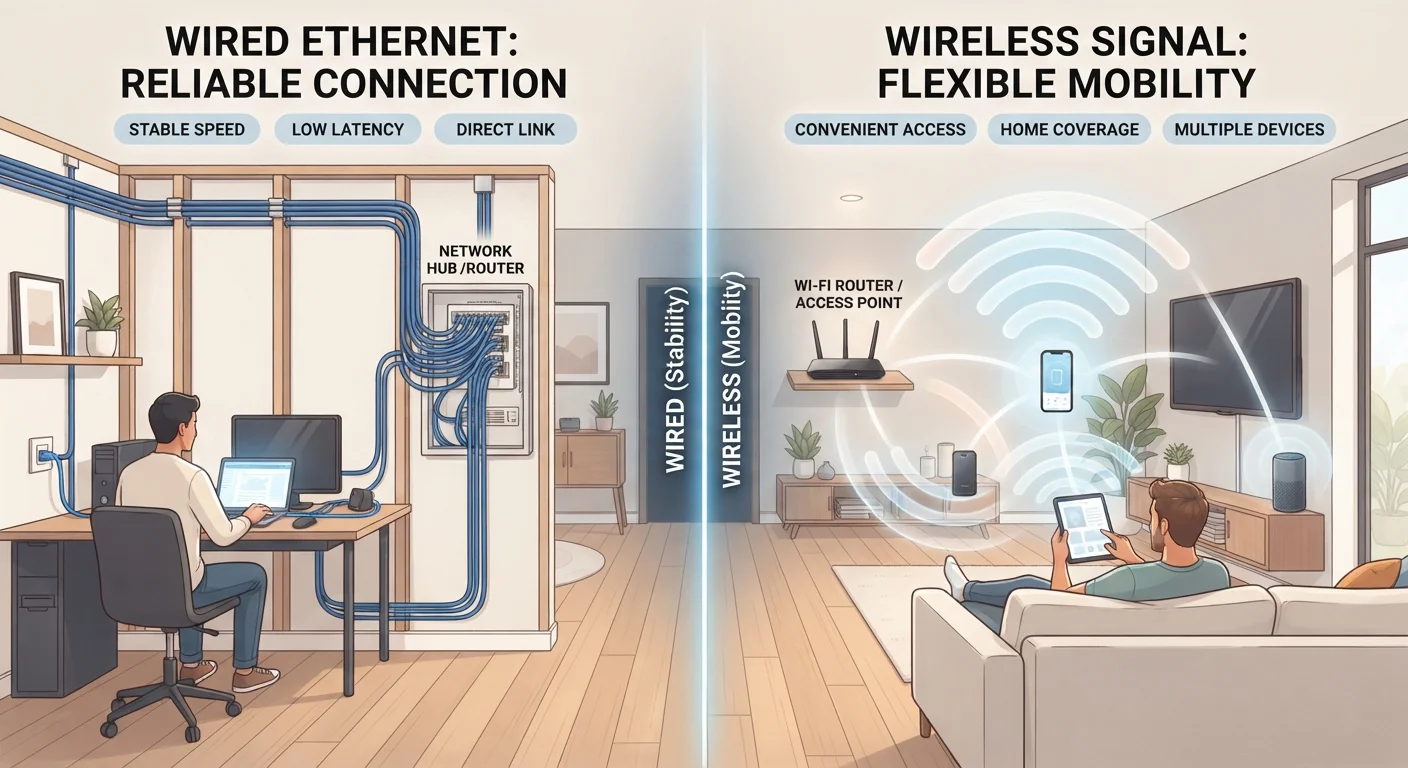
Photo credit: Infolagoon.com | Blogs To Rely On
In this article
Wired setups offer reliability; wireless offers flexibility. Understanding the trade-offs helps you choose the right approach for each part of your home.
Key Takeaways
- Wired connections are generally more reliable and faster but require professional installation in established homes.
- Wireless devices are far easier to install and reposition, making them ideal for renters and first-time smart home builders.
- The decision often comes down to the specific device type, not a single blanket choice for your whole home.
- Mixing wired and wireless approaches within the same home is common and practical.
- Wireless reliability has improved significantly with newer protocols like Thread and Zigbee mesh networking.
Why the Wired vs. Wireless Question Matters
When planning a connected home, one of the earliest decisions you'll face is whether to run physical cables or rely on wireless signals. Marketing rarely addresses this directly — devices are usually sold on features, not infrastructure — yet the choice shapes everyday reliability, installation cost, and how freely you can rearrange things later.
If you're just getting started, our beginner's guide to smart home setup covers the planning basics before you commit to a connection approach. For a broader overview of how connected home technology works, see everything you need to know about smart home technology.
The short version: wired connections use physical cables (typically Ethernet or dedicated low-voltage wiring) to carry data and sometimes power. Wireless connections use radio signals — Wi-Fi, Zigbee, Z-Wave, Thread, or Bluetooth — to communicate without cables. Both work, but each carries real trade-offs worth understanding.
| Wired | Wireless | |
|---|---|---|
| Reliability | Very high; unaffected by interference | Good to very good; depends on protocol and environment |
| Installation effort | High; often requires professional help | Low; most devices are plug-and-play |
| Flexibility to relocate | Low; cables are fixed in walls | High; move devices anywhere in range |
| Ongoing power needs | Powered via cable (often PoE) | Outlet or battery; batteries need replacing |
| Best suited for | Cameras, intercoms, new builds, renovations | Bulbs, sensors, thermostats, rental homes |
| Upfront cost | Higher due to cabling and labor | Lower; hardware only in most cases |
Where Wired Connections Have a Genuine Edge
A wired connection does one thing exceptionally well: it delivers consistent, interference-free communication between devices and your network. Because the signal travels through a physical conductor rather than shared airspace, it isn't affected by neighboring Wi-Fi networks, thick walls, microwave ovens, or the sheer number of wireless devices crowding the 2.4 GHz band in a typical American home.
This matters most for devices where a missed signal has real consequences. Wired security cameras, smart doorbells hardwired to existing doorbell circuits, and in-ceiling speakers all benefit from the stability that cables provide. Power-over-Ethernet (PoE) — a standard that sends both data and electrical power through a single Ethernet cable — is particularly useful for cameras and access points, eliminating the need for a nearby outlet.
Plan Wiring During Renovations
If you're remodeling any room, it's worth running Ethernet or low-voltage conduit while walls are open — even if you don't use it immediately. Retrofitting cable through finished walls later is significantly more expensive and disruptive. A licensed electrician or low-voltage contractor can advise on what's worth pre-wiring for your specific layout.
The significant drawback is installation. Running cables through finished walls typically requires drilling, fishing wires through insulation, and potentially patching drywall. In new construction or during a major renovation, wiring is straightforward and cost-effective. In an existing home, it usually means hiring an electrician or low-voltage contractor, which adds cost and disruption.
Where Wireless Devices Make More Sense
For the majority of smart home additions — smart bulbs, plug-in outlets, door and window sensors, thermostats, and voice assistant speakers — wireless is the practical default. You don't need to touch a wall, and repositioning a device takes seconds rather than hours.
Wireless reliability has also improved considerably. Protocols like Zigbee and Z-Wave create mesh networks, meaning devices relay signals through one another rather than depending on a single router. Thread, a newer protocol underlying the Matter standard, extends this further. To understand how these protocols differ in practice, see our explainer on Wi-Fi, Zigbee, Z-Wave, and Thread.
Wireless setups do carry some ongoing considerations. Battery-powered devices need periodic replacement or recharging. A crowded wireless environment can cause occasional dropouts. And every connected device is a potential entry point on your network — something worth thinking through. Our guide on securing your smart home network walks through practical steps to reduce that risk.
Battery Devices Can Go Silent Unnoticed
Battery-powered wireless sensors and locks can fail silently when batteries run low — meaning a door sensor may stop reporting without any obvious alert. Check your smart home app regularly for devices showing low battery warnings, and consider setting calendar reminders for seasonal battery checks on critical devices like smoke detectors or entry sensors.
How Most Homes End Up Using Both
In practice, treating this as an either/or choice is a mistake. Most thoughtfully built smart homes use wired infrastructure where it's already accessible or where stability is non-negotiable, and wireless for everything else.
A common pattern: a wired Ethernet backbone feeding a capable Wi-Fi router and a few PoE cameras, with wireless smart bulbs, sensors, and a thermostat layered on top. The wired foundation handles the heavy lifting; the wireless layer handles flexibility. Before adding any new device to this mix, it's worth running through the compatibility and hub-requirement checklist in Before You Buy Any Smart Home Device, Check These Things.
Also worth separating: there's a difference between a device you can control remotely and one that actually automates tasks on its own. That distinction — and why it matters for how you design your setup — is explored in Home Automation vs. Remote Control. Privacy is another dimension of this decision: The Privacy Trade-Offs of Living with Smart Home Devices offers a balanced look at what data connected devices collect and how to think about it.
The right answer isn't wired or wireless — it's matching the connection type to what each device actually needs to do.

Author
Tech & Gadgets Editorial Team
Tech & Gadgets Editorial Team is the collective byline for our editorial team and contributor network. Articles published under this byline or an editorial pen name are researched, written, and reviewed according to our editorial standards for clarity, consistency, and independence before publication.
View all articles →