
Wi-Fi, Zigbee, Z-Wave, and Thread: The Wireless Protocols Running Your Smart Home
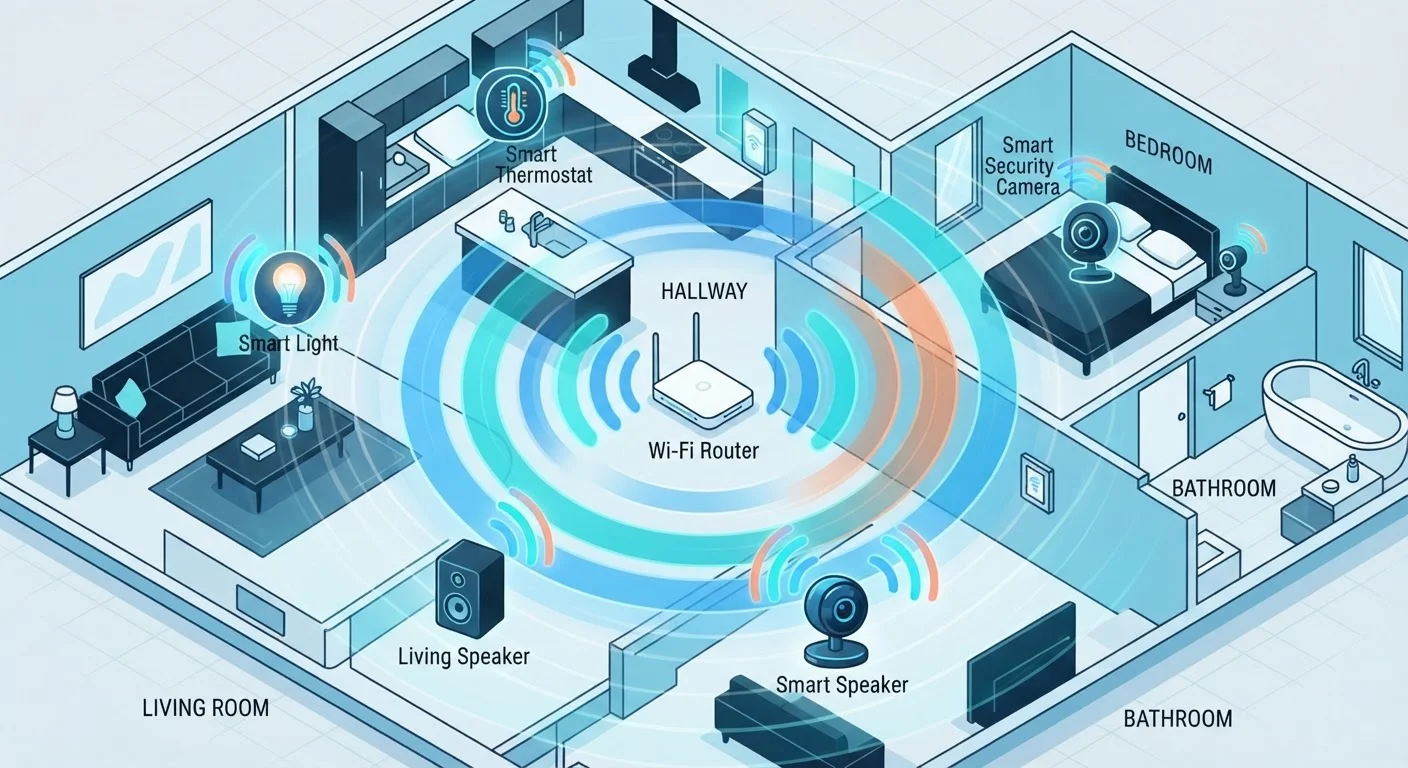
Photo credit: Infolagoon.com | Blogs To Rely On
In this article
Behind every smart bulb and sensor is a wireless protocol. Learn what Wi-Fi, Zigbee, Z-Wave, and Thread do differently and why it matters.
Why the Protocol Under the Hood Actually Matters
When you install a smart bulb or a door sensor, you're not just adding a gadget — you're adding a radio transmitter that speaks a specific wireless language. That language is called a protocol, and it determines how reliably your devices talk to each other, how far that signal travels, how much battery they drain, and whether devices from different brands can coexist.
Most shoppers never see a protocol listed on the box in plain terms. Instead, you'll notice that some devices require a hub while others connect directly to your router, or that two products from different brands refuse to work together. Those frustrations almost always trace back to protocol differences.
For a broader overview of what connected home technology actually involves, see what 'smart home' actually means. This article focuses specifically on the four protocols you'll encounter most often.
| Protocols covered | Wi-Fi, Zigbee, Z-Wave, Thread |
| Hub required | Zigbee and Z-Wave: yes. Wi-Fi and Thread: no (varies by device) |
| Mesh networking | Zigbee, Z-Wave, and Thread all form mesh networks; Wi-Fi does not |
| Z-Wave frequency (US) | ~908 MHz — avoids 2.4 GHz congestion (Z-Wave Alliance specification) |
| Cross-brand certification | Z-Wave has mandatory interoperability testing; Zigbee and Wi-Fi vary by vendor |
| Future-facing protocol | Thread underlies the Matter standard, backed by Apple, Google, Amazon, and others (Connectivity Standards Alliance) |
The Four Protocols, Explained
Wi-Fi
Wi-Fi is the same network your phone and laptop use. Smart devices that run on Wi-Fi connect directly to your home router — no extra hub required. That simplicity is appealing, but it comes with trade-offs: Wi-Fi devices tend to consume more power (which shortens battery life), and adding dozens of them can strain a typical home router. They also operate on the 2.4 GHz or 5 GHz band, which is already crowded in most homes.
Best for: High-bandwidth devices that are plugged in — video doorbells, security cameras, smart displays.
Zigbee
Zigbee operates on the 2.4 GHz band but uses far less power than Wi-Fi. It creates a mesh network — each device can relay signals to the next, so your network grows stronger as you add more devices. Zigbee requires a compatible hub (often called a bridge or coordinator) to connect to the internet. Compatibility between brands has historically been uneven, though this is improving with newer standards.
Best for: Battery-powered sensors, smart bulbs, and large networks of low-power devices.
Z-Wave
Z-Wave runs on a lower radio frequency (around 900 MHz in the US), which helps it pass through walls more easily and avoids interference with Wi-Fi and Zigbee signals. Like Zigbee, it forms a mesh network and requires a hub. Z-Wave devices are certified to ensure interoperability across brands, which reduces compatibility headaches. The trade-off is that the ecosystem of Z-Wave products is smaller than Wi-Fi or Zigbee.
Best for: Security systems, door locks, and devices where cross-brand reliability is a priority.
Thread
Thread is the newest protocol in widespread use. It forms a mesh network like Zigbee and Z-Wave, uses low power, and — crucially — is built on standard internet networking technology (IPv6). This means Thread devices can, in theory, communicate more directly with internet-connected systems without proprietary translation layers. Thread is a foundational technology behind the Matter standard. For a deeper look at Matter and what it changes, see Matter explained.
Best for: Future-forward ecosystems, especially devices that will work across Apple, Google, and Amazon platforms.
Wireless Protocol
A standardized set of rules that defines how devices communicate over radio signals. It governs range, power use, speed, and how devices find and authenticate each other.
Mesh Network
A network topology where each device can relay signals to others nearby, extending coverage without requiring all devices to connect directly to a central router or hub.
Hub (Bridge)
A physical device that acts as a translator between your smart home devices and your Wi-Fi router, required by protocols like Zigbee and Z-Wave.
Thread
A low-power mesh networking protocol built on IPv6 internet standards, designed to make smart home devices more interoperable and internet-ready without proprietary workarounds.
Matter
An application-layer standard built on top of Thread (and Wi-Fi) that lets devices from different brands and ecosystems work together without brand-specific bridges.
2.4 GHz Band
A radio frequency range used by Wi-Fi, Zigbee, and Bluetooth. It offers good range but can become congested in homes with many wireless devices.
Choosing the Right Protocol for Your Setup
There's no single correct answer — the right protocol depends on what you're trying to accomplish.
- Starting from scratch: Devices supporting Thread and Matter offer the most forward compatibility, though the ecosystem is still maturing.
- Building a large sensor network: Zigbee or Z-Wave will serve you better than Wi-Fi, since they're designed for many low-power nodes.
- Prioritizing simplicity: Wi-Fi devices need no hub and are easy to set up, but plan for potential network congestion as your collection grows.
- Mixing brands: Z-Wave's certification program and Matter's cross-platform design both aim to reduce the frustration of incompatible devices.
If you're weighing whether wireless is the right approach at all, wired vs. wireless smart home devices covers the trade-offs clearly. And once your devices are connected, network security matters — securing your smart home network outlines practical steps that don't require a technical background.
4+
Major wireless protocols in common smart home use
Wi-Fi, Zigbee, Z-Wave, and Thread each serve different device categories and use cases.
~900 MHz
Z-Wave operating frequency (US)
This lower frequency is less congested than 2.4 GHz, giving Z-Wave better wall penetration in typical home environments.
65,000+
Certified Z-Wave products available globally
According to the Z-Wave Alliance, a broad product ecosystem has developed around the protocol's mandatory interoperability certification.

Author
Tech & Gadgets Editorial Team
Tech & Gadgets Editorial Team is the collective byline for our editorial team and contributor network. Articles published under this byline or an editorial pen name are researched, written, and reviewed according to our editorial standards for clarity, consistency, and independence before publication.
View all articles →