
Android and iOS Side by Side: What Actually Differs in Daily Use
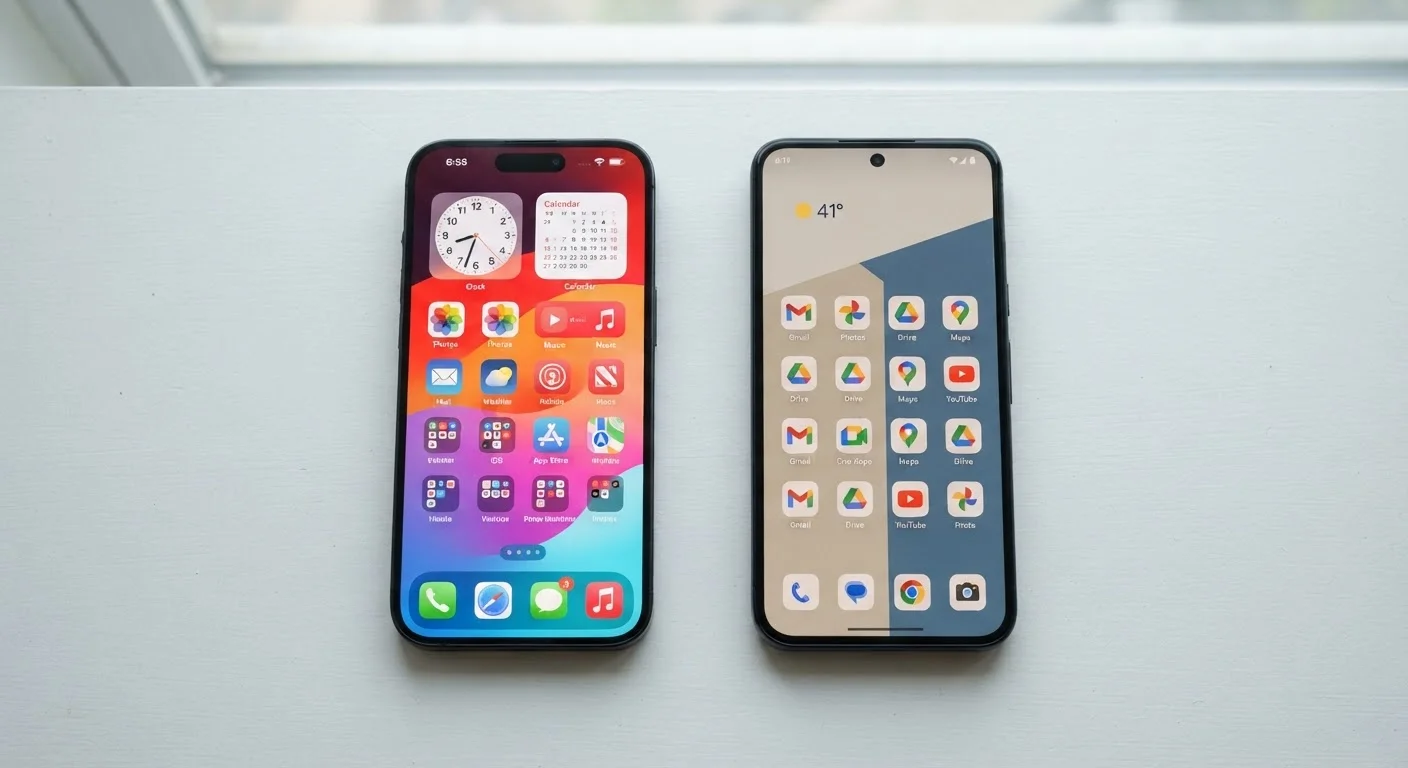
Photo credit: Infolagoon.com | Blogs To Rely On
In this article
Beyond brand loyalty, Android and iOS work quite differently. Here's an honest look at how each system handles apps, privacy, updates, and more.
Key Takeaways
- Android offers more customization; iOS prioritizes a uniform, curated experience across all devices.
- iOS devices receive software updates simultaneously; Android update timing varies widely by manufacturer.
- Both platforms have strong privacy tools, but they implement them differently and with different defaults.
- App availability is broadly similar, though a small number of titles launch on one platform first.
- Switching between platforms means learning new habits and potentially losing some data or app purchases.
How Each Platform Handles Your Apps
Both Android and iOS give you access to hundreds of thousands of apps, but the way you find, install, and manage them is noticeably different.
On iOS, all apps must come from Apple's App Store. Apple reviews every app before it's listed, which creates a more controlled environment. On Android, apps come primarily from Google Play, but Android also allows you to install apps from other sources — a practice called sideloading. This offers more flexibility but requires some caution, since apps outside official stores aren't subjected to the same review process.
Default apps are another key difference. On iOS, Safari is the default browser and Apple Mail handles email — you can download alternatives, but iOS has historically been more restrictive about letting third-party apps replace system defaults entirely (though Apple has opened this up somewhat in recent updates). Android lets you freely set any compatible app as your default for browsing, messaging, or calling.
| Criterion | Android | iOS |
|---|---|---|
| App sources | Google Play + sideloading allowed | App Store only (by default) |
| Default app flexibility | Fully replaceable | Partially replaceable |
| Home screen customization | Extensive widget and layout freedom | Structured grid with widget support |
| Software update delivery | Varies by manufacturer | Simultaneous across supported devices |
| Privacy controls | Strong, Google-managed | Strong, Apple-managed with ATT |
| Ecosystem integration | Best with Google services and Windows | Best with Apple devices and services |
| File system access | More open, folder-based access | More restricted, app-based access |
Updates, Security, and Privacy
One practical difference that affects real-world security is how updates are delivered. Apple controls both the iPhone hardware and iOS software, so when a new update ships, it reaches all supported devices on the same day. Android operates differently: Google releases the core Android update, then individual phone manufacturers adapt and distribute it for their own devices. This can mean weeks or months of delay — or, for older devices, no update at all.
For a deeper look at why this matters, see what actually changes in a software update.
On privacy, both platforms now offer robust controls — app permission prompts, location-sharing limits, and tracking transparency tools. Apple has made privacy a visible part of its brand, with features like App Tracking Transparency that require apps to ask before tracking your activity. Android has steadily added similar controls, and both systems now let you grant permissions on a per-use basis rather than permanently. For a practical walkthrough of what those settings actually do, this guide to smartphone privacy settings is worth reading regardless of which platform you use.
Both Platforms Are Genuinely Secure
It's a common misconception that one platform is inherently safer than the other. Both Android and iOS have mature security architectures and are regularly updated to address vulnerabilities. The more meaningful security variable for most users is how promptly updates are applied — regardless of platform. Keeping your phone's software current is one of the most effective things you can do to stay protected.
Customization, Ecosystem Fit, and Switching Costs
Android gives users a wider canvas to work with. You can resize and reposition widgets anywhere on the home screen, use third-party launchers to completely change the phone's interface, and manage your file system more like a computer. iOS keeps things more structured — widgets are available, but the overall layout follows Apple's rules rather than the user's preferences.
Ecosystem fit matters more than most people realize before they buy. If you use a MacBook, iPad, or Apple Watch, iOS offers integrations — like the ability to answer phone calls on your Mac or copy text on one device and paste it on another — that are difficult to replicate across platforms. Android, meanwhile, connects more naturally with Google's services and, for some users, with Windows PCs via tools like Phone Link.
Switching platforms isn't trivial. Your purchased apps don't transfer, iMessages won't automatically migrate to Android, and certain cloud storage or photo library setups require reconfiguring. That's worth factoring in before deciding. If you're weighing a broader device decision, the comparison between tablet vs. laptop for your lifestyle touches on related ecosystem considerations. Both Android and iOS also include accessibility features that go well beyond disability accommodations — exploring what's available on your platform may surface tools you didn't know existed.
~72%
Global smartphone market share (Android)
According to Statcounter data, Android holds roughly 72% of global smartphone usage, with iOS accounting for most of the remainder.
5–6 years
Typical iOS major update support window
Apple has generally supported iPhones with major iOS updates for five to six years after release, though exact durations vary by model.
2 in 3
U.S. iPhone users who cite ecosystem lock-in as a switching barrier
Surveys by Pew Research and others consistently find that integration with other Apple devices is a primary reason U.S. users stay on iOS.

Author
Tech & Gadgets Editorial Team
Tech & Gadgets Editorial Team is the collective byline for our editorial team and contributor network. Articles published under this byline or an editorial pen name are researched, written, and reviewed according to our editorial standards for clarity, consistency, and independence before publication.
View all articles →