
The Hidden Trade-offs of Ultra-Thin Laptops
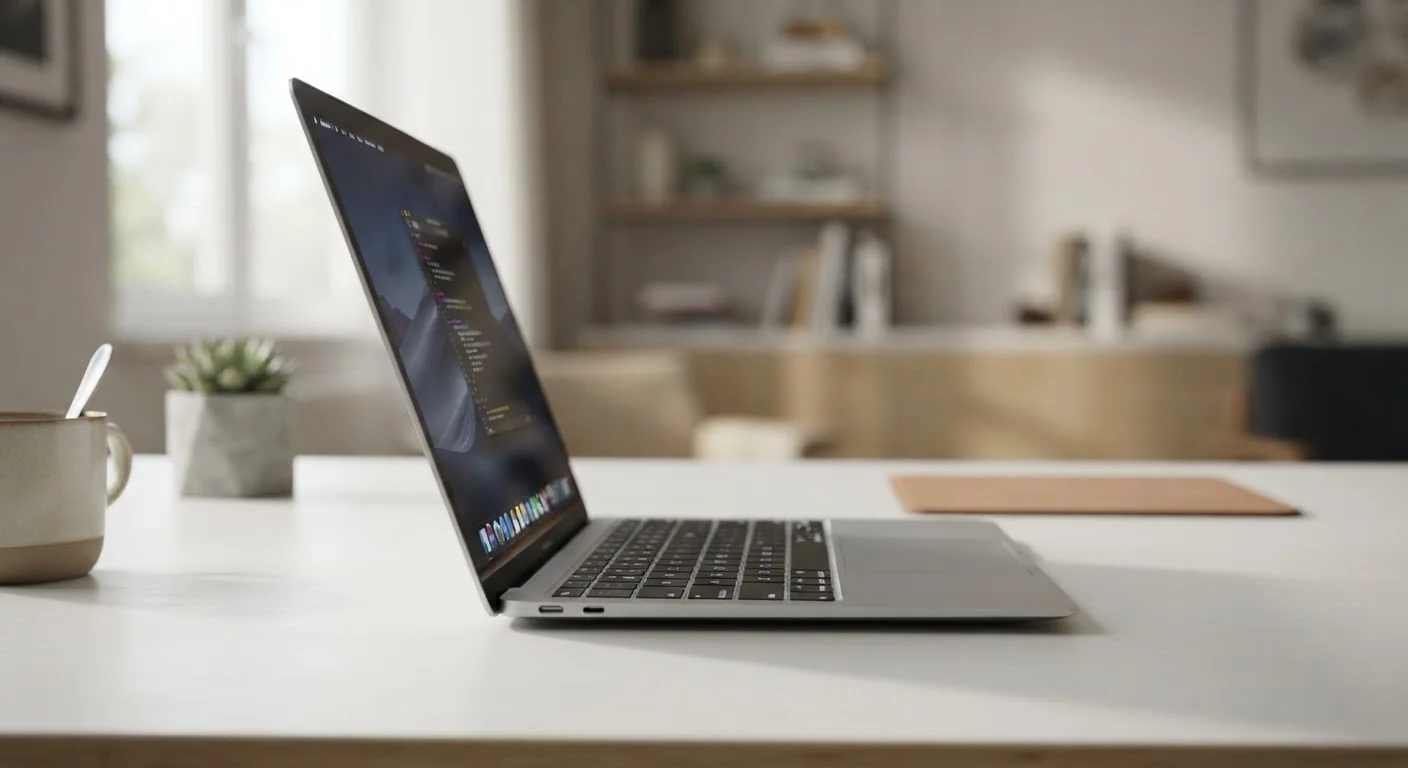
Photo credit: Infolagoon.com | Blogs To Rely On
In this article
Slim and lightweight designs come with real compromises in battery life, repairability, and thermal performance. Here's what rarely shows up in the marketing.
Key Takeaways
- Ultra-thin laptops trade internal space for portability, which directly affects cooling, battery capacity, and repairability.
- Thermal throttling — where a processor slows itself down to avoid overheating — is more common in thin chassis designs.
- Soldered RAM and non-replaceable batteries mean repair and upgrade options are severely limited.
- Fewer ports are a direct result of chassis thinness, not a deliberate design philosophy on its own.
- For light daily tasks, these trade-offs may be entirely acceptable; for sustained heavy workloads, they often are not.
Genuinely easier to carry daily
A laptop weighing under 2.5 lbs makes a real difference over the course of a commute or travel day. This is the trade-off that ultra-thin designs do deliver on consistently.
Often runs quieter under light loads
Smaller fans spinning at lower speeds during everyday tasks mean less audible noise in quiet environments like libraries or meetings.
Sleek form factor fits smaller bags
Thinner profiles slide into slim sleeves, smaller backpacks, and carry-on luggage compartments that a standard-thickness laptop wouldn't fit.
Modern processors handle light tasks efficiently
For email, browsing, documents, and video calls, current-generation chips in thin chassis perform these workloads well without needing heavy cooling infrastructure.
Thermal throttling limits sustained performance
Reduced cooling capacity means processors slow themselves down during extended intensive tasks. This is a structural limitation, not a malfunction.
Batteries are smaller and harder to replace
Thinner chassis hold fewer watt-hours, reducing maximum runtime. Batteries are often glued in, making replacement costly or impractical when they degrade.
RAM and storage are usually soldered in
You cannot upgrade memory or storage after purchase in most ultra-thin designs. The configuration you buy is the one you're locked into for the machine's life.
Port selection is severely restricted
Physical thinness eliminates space for full-size ports. Most ultra-thin laptops ship with one or two USB-C connections, requiring adapters for almost any peripheral.
Premium price doesn't reflect repairability
Ultra-thin laptops often cost more than standard-thickness alternatives, yet deliver fewer long-term options for repair, upgrade, or component replacement.
What 'Ultra-Thin' Actually Means Inside the Chassis
When a laptop is marketed as ultra-thin — typically under 15mm thick — the description refers to external dimensions, not internal engineering. That slimness is achieved by compressing every internal component into a smaller volume, which creates a chain of downstream trade-offs that never appear on the spec sheet.
The most immediate consequence is reduced space for cooling hardware. A thinner chassis can only accommodate smaller fans and flatter heat pipes. This matters because modern processors generate significant heat under load, and heat that can't be efficiently moved away from the chip causes problems. See our guide to what laptop specs actually mean for context on why a high clock speed on paper doesn't always translate to real-world performance.
Internal space constraints also mean thinner batteries measured in watt-hours, components soldered directly to the motherboard to save millimeters, and the elimination of expansion slots. None of that is visible from the outside.
15mm
Common threshold for 'ultra-thin' classification
Industry convention generally considers laptops at or below 15mm thick to fall in the ultra-thin category, though marketing definitions vary by manufacturer.
2–4 years
Typical lithium battery useful lifespan
Lithium-ion batteries in portable devices generally degrade noticeably within this window under regular daily charging, making replaceability a meaningful long-term concern.
The Thermal Throttling Problem
Thermal throttling is what happens when a processor detects it's getting too hot and automatically reduces its own speed to protect itself. It's a built-in safety mechanism — but in ultra-thin laptops, it can trigger earlier and more aggressively than in thicker machines with better cooling headroom.
In practical terms, this means a task that runs smoothly for five minutes may slow noticeably at the ten-minute mark as the chassis heats up. Video editing, code compilation, running large spreadsheets, or sustained multitasking are the kinds of workloads most likely to expose this limitation. Light tasks — email, web browsing, word processing, video calls — rarely push a processor hard enough to trigger throttling at all.
This is one of the reasons laptops slow down in ways that aren't always obvious. Poor sustained cooling is a structural constraint in thin designs, not a defect that develops over time.
Throttling Varies by Task and Environment
Thermal throttling doesn't happen constantly — it's triggered by sustained processor load combined with chassis heat buildup. Ambient temperature also matters; a thin laptop used in a warm room or on a soft surface that blocks its vents will throttle sooner than one used on a hard desk in a cool space. If your typical use is email and browsing rather than video rendering, you may never notice this limitation in practice.
Repairability, Upgradeability, and Long-Term Value
Thin chassis designs almost always require that components be soldered directly onto the motherboard. RAM, and sometimes storage, can no longer be swapped out by a technician or a technically confident user. The battery — which chemically degrades over hundreds of charge cycles regardless of brand — is often glued in place rather than secured with screws.
What this means practically: when the battery capacity drops to the point where it's no longer useful (typically after two to four years of regular use), replacement is either expensive, technically difficult, or not supported at all. Similarly, if you find you need more memory a year after purchase, there's no upgrade path. What you buy is what you keep.
Habits that shorten a laptop's lifespan interact with these constraints in meaningful ways — a non-replaceable battery is far more consequential if charging habits accelerate its degradation.
Genuinely easier to carry daily
A laptop weighing under 2.5 lbs makes a real difference over the course of a commute or travel day. This is the trade-off that ultra-thin designs do deliver on consistently.
Often runs quieter under light loads
Smaller fans spinning at lower speeds during everyday tasks mean less audible noise in quiet environments like libraries or meetings.
Sleek form factor fits smaller bags
Thinner profiles slide into slim sleeves, smaller backpacks, and carry-on luggage compartments that a standard-thickness laptop wouldn't fit.
Modern processors handle light tasks efficiently
For email, browsing, documents, and video calls, current-generation chips in thin chassis perform these workloads well without needing heavy cooling infrastructure.
Thermal throttling limits sustained performance
Reduced cooling capacity means processors slow themselves down during extended intensive tasks. This is a structural limitation, not a malfunction.
Batteries are smaller and harder to replace
Thinner chassis hold fewer watt-hours, reducing maximum runtime. Batteries are often glued in, making replacement costly or impractical when they degrade.
RAM and storage are usually soldered in
You cannot upgrade memory or storage after purchase in most ultra-thin designs. The configuration you buy is the one you're locked into for the machine's life.
Port selection is severely restricted
Physical thinness eliminates space for full-size ports. Most ultra-thin laptops ship with one or two USB-C connections, requiring adapters for almost any peripheral.
Premium price doesn't reflect repairability
Ultra-thin laptops often cost more than standard-thickness alternatives, yet deliver fewer long-term options for repair, upgrade, or component replacement.
Ports and Connectivity Sacrifices
Every port cut from a thin laptop is partly a space decision. Full-size HDMI, USB-A ports, SD card slots, and ethernet jacks all require physical depth that a sub-15mm chassis simply doesn't have. The result is a machine that may ship with only one or two USB-C connections and nothing else.
This isn't necessarily a dealbreaker, but it does mean buying adapters or docks — additional cost and additional items to carry. Understanding what each port actually does helps clarify which omissions matter for your specific workflow and which you'll never notice.
If you're weighing whether a thin laptop fits your needs versus other form factors, comparing desktops and laptops across key dimensions provides a broader framework for that decision.

Author
Tech & Gadgets Editorial Team
Tech & Gadgets Editorial Team is the collective byline for our editorial team and contributor network. Articles published under this byline or an editorial pen name are researched, written, and reviewed according to our editorial standards for clarity, consistency, and independence before publication.
View all articles →