
Desktop vs. Laptop: Which Form Factor Fits Your Life?
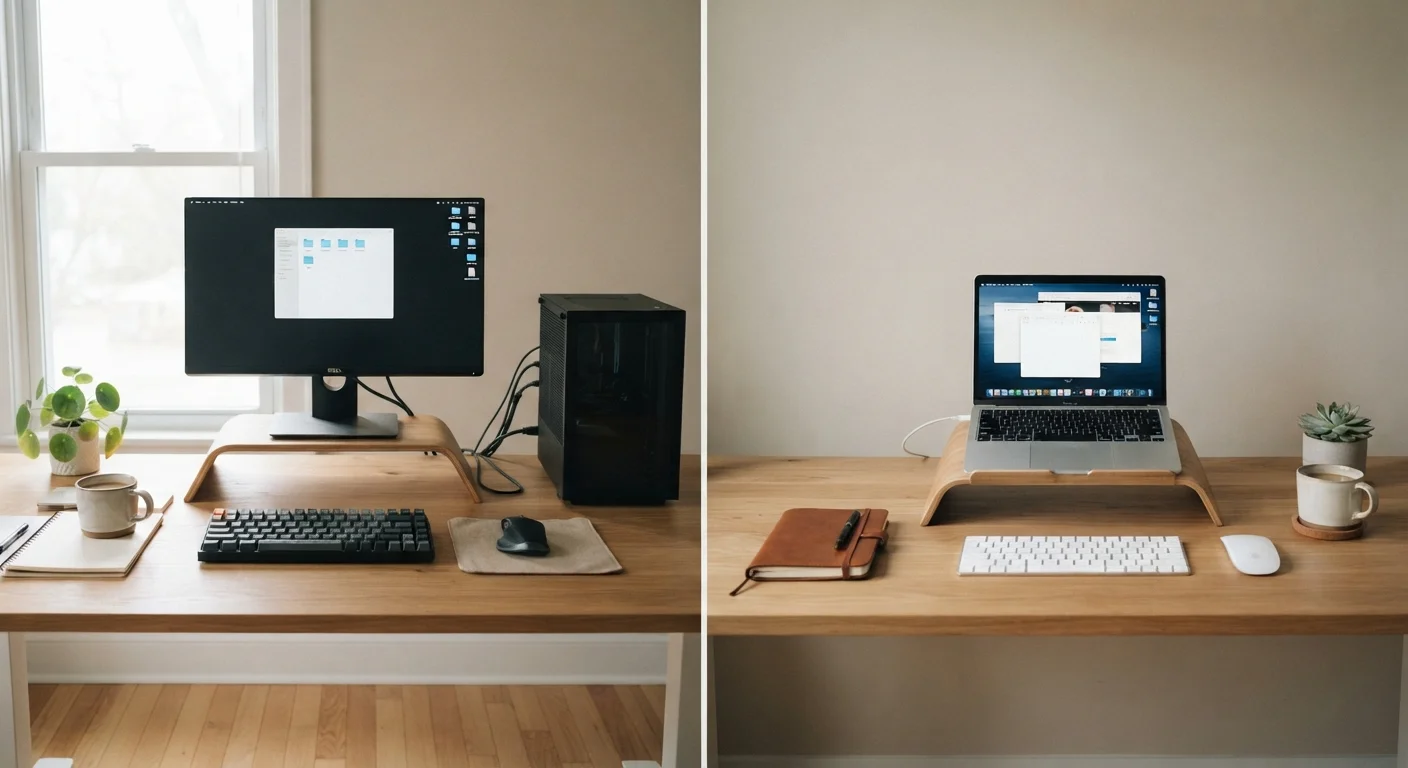
Photo credit: Infolagoon.com | Blogs To Rely On
In this article
Portability, performance, and price trade-offs differ significantly between desktops and laptops. Here's how to think through the decision clearly.
Key Takeaways
- Desktops generally deliver more performance per dollar and are easier to repair or upgrade over time.
- Laptops trade some performance and upgradability for genuine portability and all-in-one convenience.
- Your physical lifestyle — not specs on a spec sheet — should drive the decision between the two.
- A desktop with a good monitor setup can feel more ergonomic for long daily work sessions.
- Laptops increasingly close the performance gap, but thermal limits mean sustained heavy workloads still favor desktops.
The Core Trade-Off: Power vs. Portability
The desktop vs. laptop debate often gets framed as a specs competition, but the real question is simpler: where do you actually use a computer? If your answer is always the same place, a desktop has natural advantages. If your answer changes regularly, a laptop earns its compromises.
Desktops house larger components — bigger processors, more robust cooling systems, and full-size graphics cards — without needing to conserve battery power or fit inside a thin chassis. That translates to more consistent, sustained performance. A laptop, by contrast, manages heat and power constantly, which can cause high-performance components to slow themselves down (a process called thermal throttling) during extended heavy tasks.
That said, modern laptops have narrowed the gap considerably for everyday tasks. Browsing the web, writing documents, streaming video, or joining video calls? A well-made laptop handles all of it without strain. The gap becomes more noticeable during demanding, prolonged tasks like video rendering, high-resolution photo editing, or running complex simulations. For those workflows, desktops tend to sustain performance more reliably.
Before comparing specs, ask yourself honestly how you work. Understanding that is more useful than any benchmark. You may also find it helpful to read about common laptop spec misconceptions to avoid being misled by numbers that don't reflect real-world use.
| Criterion | Desktop | Laptop |
|---|---|---|
| Portability | Stationary — not portable | Fully portable, battery-powered |
| Sustained performance | Strong — less thermal throttling | Good for everyday; may throttle under heavy loads |
| Upgradability | High — RAM, storage, GPU replaceable | Limited — often soldered components |
| Repairability | Generally easier and cheaper | Harder, especially on slim models |
| Built-in display | None — requires external monitor | Included — works immediately anywhere |
| Ergonomic flexibility | Full control over monitor and input setup | Limited without external peripherals |
| Port selection | Typically more ports, fewer adapters needed | Fewer ports on slim models; may need adapters |
| Power requirement | Always needs wall power | Battery lasts hours between charges |
Practicalities That Rarely Appear in Ads
Marketing tends to focus on processing speed and screen size. The details that actually shape daily experience get far less attention.
Ergonomics and Setup
Desktops give you control over every part of your workspace — monitor height, keyboard angle, chair position. Over months and years, that adjustability matters for comfort. Laptops, used without external peripherals, often place screens too low and keyboards at awkward angles. Many laptop users eventually add an external monitor or keyboard anyway, which partially defeats the portability advantage at home.
Repairability and Longevity
Desktops are typically easier to open, repair, and upgrade. A failing hard drive or a RAM shortage is often fixable without professional help and without replacing the entire machine. Laptops — especially thin models — are increasingly difficult to service. Many newer designs use soldered memory and non-removable batteries, meaning repairs require a technician or a full replacement. The hidden trade-offs of ultra-thin laptops covers exactly why slimmer doesn't always mean smarter.
Connectivity
Desktops typically offer more ports out of the box — USB-A, USB-C, audio, card readers — without adapters. Laptops, particularly slim ones, have moved toward fewer ports, which can mean carrying dongles and hubs. That's a manageable inconvenience, but worth knowing before you commit. See our guide on laptop ports and adapters for a plain-language breakdown of what each connection does.
~5–7 yrs
Typical useful lifespan with upgrades
Technology analysts generally estimate that desktops, when incrementally upgraded, can remain productive workhorses for five to seven years or longer.
60%+
PC shipments that are laptops
Industry tracking firms have consistently reported that laptops account for the majority of personal computer shipments globally, reflecting the shift toward mobile computing.
How to Make the Call for Your Situation
Rather than chasing the fastest processor or most RAM — factors that rarely determine satisfaction — focus on three practical questions:
- Does your computer need to move with you? If yes, a laptop is the only practical answer. If not, a desktop frees you from battery limits and portability compromises.
- How intensive is your work? Casual use favors neither strongly. Sustained creative or technical work tilts toward desktops for consistent output.
- How long do you plan to keep it? If you want to stretch a purchase over five or more years, a desktop's upgradeability is a meaningful long-term advantage.
Some people find a hybrid approach works: a modest laptop for portability paired with a desktop at home for heavy lifting. That's a real option, though it does mean managing two machines.
If your decision extends to what type of computing experience feels right — not just hardware form — our comparison of Windows, macOS, and ChromeOS can help you think through that layer too. And if you're weighing a laptop against a tablet instead, the tablet vs. laptop comparison addresses that distinct question directly.
The best computer is the one that fits the life you actually live — not the one with the most impressive numbers on the box.

Author
Tech & Gadgets Editorial Team
Tech & Gadgets Editorial Team is the collective byline for our editorial team and contributor network. Articles published under this byline or an editorial pen name are researched, written, and reviewed according to our editorial standards for clarity, consistency, and independence before publication.
View all articles →