
The Computer Spec Sheet Glossary: Plain-English Definitions for Every Term
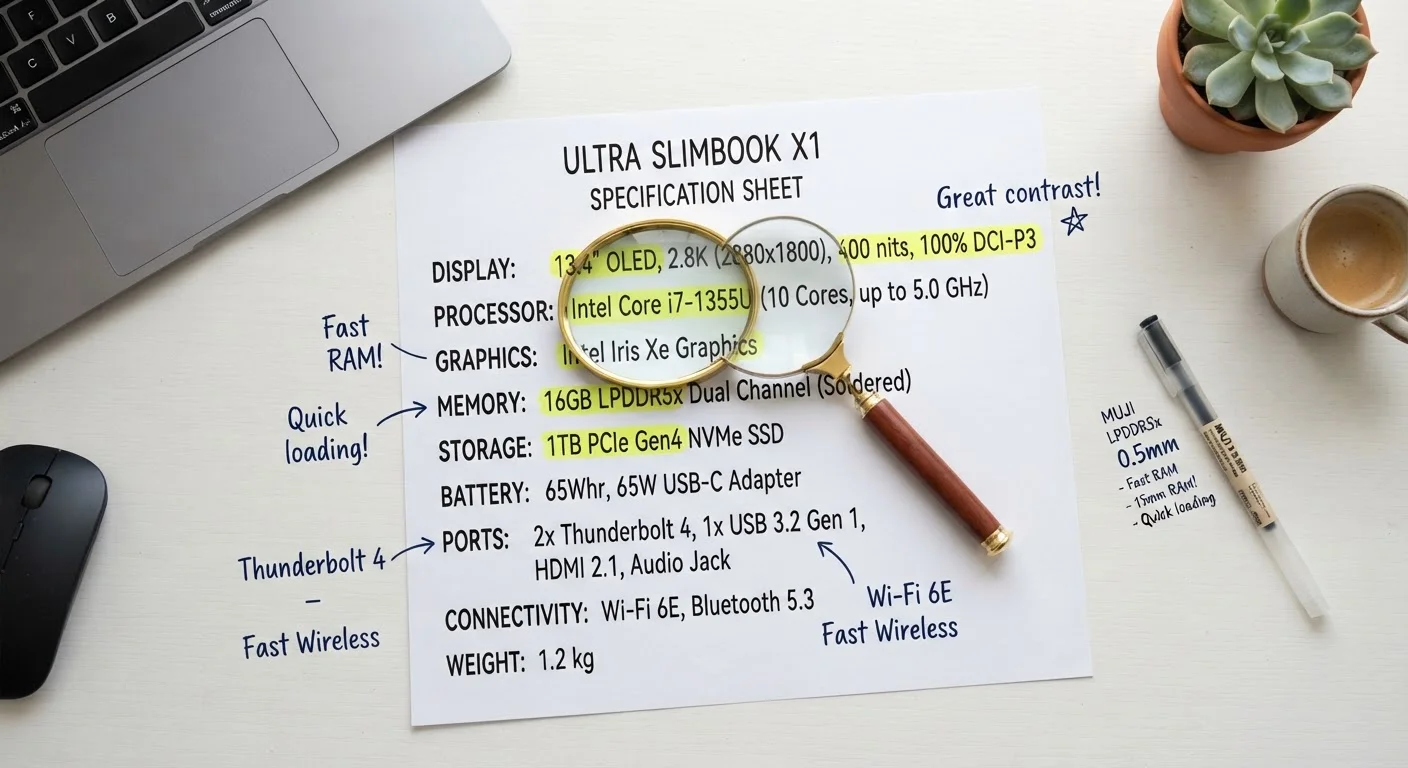
Photo credit: Infolagoon.com | Blogs To Rely On
In this article
From GHz to NVMe, this reference breaks down every common spec term so you can read any laptop listing without confusion.
Why Spec Sheets Feel Like a Foreign Language
When you pull up a laptop listing, you're immediately hit with a wall of abbreviations: GHz, RAM, NVMe, TDP, IPS, USB-C. Manufacturers assume you already speak their language — but most people don't, and that's completely reasonable. Specs were originally written for engineers, not shoppers.
This glossary breaks down every term you're likely to encounter on a real computer listing, in plain English. No engineering degree required. For a broader orientation to how all these parts fit together, see this first-timer's complete guide to personal computers.
CPU
Central Processing Unit — the main chip that executes instructions in a computer. Often described by brand, generation, and speed in GHz. It determines how fast a computer can complete tasks.
RAM
Random Access Memory — temporary, fast storage the computer uses for active tasks. More RAM lets you run more programs simultaneously without slowdown.
SSD
Solid-State Drive — a type of storage that holds your files permanently, with no moving parts. SSDs are much faster than traditional hard drives and have become the standard in modern laptops.
HDD
Hard Disk Drive — an older, mechanical storage type that uses spinning platters. HDDs offer large capacity at lower cost but are slower and more fragile than SSDs.
NVMe
Non-Volatile Memory Express — a high-speed protocol used by modern SSDs. NVMe drives connect directly to the CPU via a fast internal lane, making them significantly quicker than older SATA SSDs.
GHz
Gigahertz — a unit measuring processor clock speed, or how many cycles per second a chip can execute. Higher GHz does not always equal better performance; chip architecture and core count also matter.
TDP
Thermal Design Power — measured in watts, TDP indicates how much heat a chip produces under sustained load. It's a rough proxy for power consumption and cooling requirements.
GPU
Graphics Processing Unit — a specialized chip that handles visual rendering. Integrated GPUs share memory with the CPU and suit everyday tasks; discrete GPUs have their own memory and handle demanding graphics workloads.
IPS
In-Plane Switching — a display panel technology known for accurate color reproduction and wide viewing angles. It is the most common screen type in mainstream laptops.
OLED
Organic Light-Emitting Diode — a premium display technology where each pixel produces its own light. Enables perfect blacks and vivid contrast, but typically costs more than IPS panels.
Thunderbolt
A high-speed data and display protocol that uses a USB-C connector. Thunderbolt ports can transfer data, output video, and charge a device simultaneously, at speeds higher than standard USB-C.
Wi-Fi 6
The sixth generation of Wi-Fi wireless networking (802.11ax). It offers faster speeds and better performance in environments with many connected devices compared to Wi-Fi 5.
The Most Misunderstood Specs — Explained
Some specs get repeated constantly in listings but are rarely explained honestly. Here are the ones that trip up readers most often.
| Typical entry-level RAM | 8 GB |
| Standard Full HD resolution | 1920 × 1080 pixels |
| Common laptop TDP range | 7W – 45W |
| NVMe vs. SATA speed advantage | 3–5× faster reads (General industry benchmark comparisons) |
| Standard display refresh rate | 60 Hz |
GHz (Gigahertz) measures how many processing cycles a CPU completes per second. Higher numbers don't automatically mean faster performance — the chip architecture matters just as much. A newer processor at 2.8 GHz can outperform an older one at 3.5 GHz depending on the task.
RAM (Random Access Memory) is your computer's short-term working space. It holds what you're actively using — open tabs, apps, documents. When RAM fills up, the computer slows noticeably. For most everyday users, 8 GB is a functional baseline; 16 GB provides comfortable headroom. How computer memory actually works explains this in depth.
NVMe vs. SATA SSD refers to two types of solid-state storage. NVMe drives connect through a faster channel inside the computer and load files significantly quicker than older SATA-based SSDs. Both are faster than a traditional hard drive, but NVMe is the current standard in modern laptops. See SSD vs. HDD — the storage difference that changes how a computer feels for a practical comparison.
TDP (Thermal Design Power) is measured in watts and tells you how much heat a processor generates under load. Lower TDP generally means less heat and longer battery life, which is why thin laptops often use lower-wattage chips. Higher TDP chips deliver more raw performance but need more cooling — and often more power.
If you want to go deeper on how RAM, storage, and CPU speed work together as a system, this breakdown of what those numbers actually mean covers the full picture. And once you know your specs, avoid these common mistakes people make when judging a laptop by its specs.
Specs Are One Part of the Picture
A spec sheet tells you what components a computer has, not how well those components work together or how they're cooled. Two laptops with identical specs on paper can feel noticeably different in daily use depending on software optimization, build quality, and thermal design. Use specs as a starting point, not the final word.
Display, Ports, and Connectivity Terms
Beyond the processor and memory, spec sheets describe screens and connections in ways that seem more specific than they are helpful.
Resolution (e.g., 1920×1080, also called Full HD or 1080p) tells you how many pixels make up the screen. More pixels generally means sharper text and images, though the difference becomes more noticeable on larger screens. A 4K display on a 13-inch laptop may look nearly identical to 1080p at normal viewing distances.
Refresh rate (measured in Hz) describes how many times per second the display redraws the image. 60 Hz is standard for everyday tasks; 120 Hz or higher makes scrolling and motion appear smoother, which matters more for gaming than for word processing. Screen size, resolution, and refresh rate explained goes further on this topic.
IPS vs. OLED refers to panel technology. IPS (In-Plane Switching) panels offer wide viewing angles and accurate colors. OLED panels produce deeper blacks and more vivid colors but can be more expensive and may show image retention on static content over time.
USB-C / Thunderbolt describes a port type and the protocol running through it. USB-C is the connector shape; Thunderbolt is a faster data standard that uses the same physical connector. Not every USB-C port supports Thunderbolt speeds — check the spec sheet carefully.
Wi-Fi 6 / Wi-Fi 6E refers to the wireless networking standard. These newer standards support faster speeds and handle congested networks (like apartments with many devices) more efficiently than older Wi-Fi 5 hardware, though you also need a compatible router to see the benefit.
60 Hz
Minimum refresh rate for comfortable everyday use
Most mainstream laptops ship with 60 Hz panels; gaming and premium models often offer 120 Hz or higher.
3–5×
Speed advantage of NVMe over SATA SSD
General industry benchmarks show NVMe drives achieve significantly higher sequential read speeds than SATA-based SSDs.

Author
Tech & Gadgets Editorial Team
Tech & Gadgets Editorial Team is the collective byline for our editorial team and contributor network. Articles published under this byline or an editorial pen name are researched, written, and reviewed according to our editorial standards for clarity, consistency, and independence before publication.
View all articles →