
Mobile Data, Wi-Fi, and Bluetooth: How the Three Connections on Your Phone Actually Work
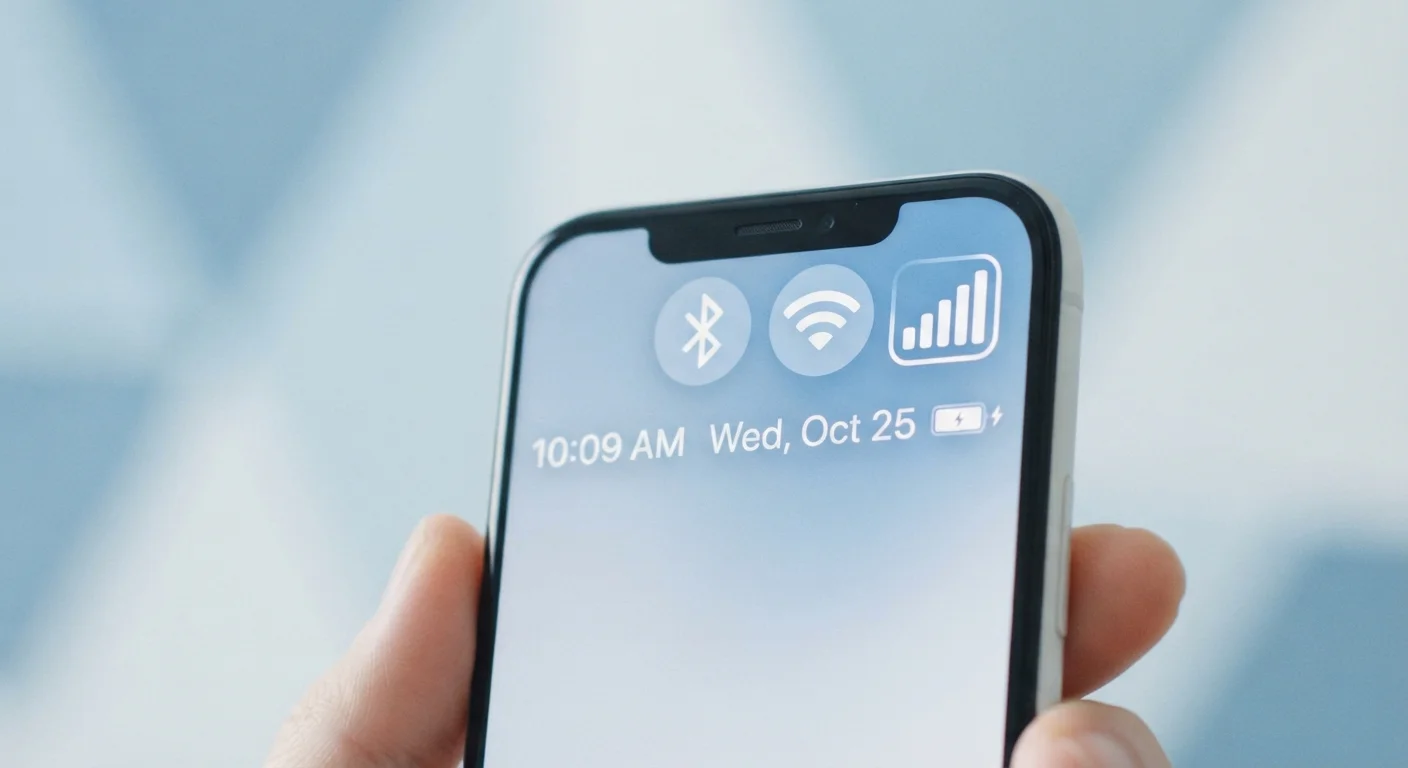
Photo credit: Infolagoon.com | Blogs To Rely On
In this article
Your phone juggles three wireless connection types at once. Understanding what each does helps you troubleshoot problems and use your device smarter.
Three Connections, Three Different Jobs
Glance at the top of your phone's screen right now. You'll likely see a signal bar icon, a Wi-Fi fan symbol, and possibly a Bluetooth logo — all at once. Most people assume these are basically the same thing doing the same job. They're not. Each connection type operates on different technology, reaches different distances, and serves a genuinely different purpose in your daily life.
Understanding the difference isn't about becoming a tech expert. It's about knowing why your video call dropped, why your earbuds connect automatically, and why streaming on a coffee-shop network feels risky. Once you see what each connection actually does, troubleshooting problems and making smarter choices becomes much easier.
| Mobile data range | Miles (carrier tower network) |
| Wi-Fi range | Typically up to a few hundred feet |
| Bluetooth range | Approximately 30 feet (varies by device) |
| Connects to internet | Mobile data: Yes | Wi-Fi: Yes | Bluetooth: No |
| Counts against data plan | Mobile data only |
| Battery impact | Mobile data > Wi-Fi > Bluetooth (General industry guidance; varies by device and usage) |
Mobile Data: Your Phone's Independent Internet Line
Mobile data (sometimes called cellular data) connects your phone to the internet through towers operated by your wireless carrier — the same company you pay your monthly bill to. It works anywhere those towers exist, which is why you can browse the web in a parking lot, on a highway, or anywhere away from a building with Wi-Fi.
Your carrier plan determines how much data you can use each month before speeds slow down or extra charges apply. When you stream music during a commute or load a map in an unfamiliar neighborhood, that's mobile data at work. The current generation of this technology is called 4G LTE, with 5G now available in many urban and suburban areas. For a clear-eyed explanation of what 5G actually delivers day-to-day, see 5G Explained.
Mobile data is the most flexible connection because it travels with you, but it's also the one that costs money when you exceed your plan's limit.
Wi-Fi: Fast, Local, and Usually Free
Wi-Fi connects your phone to the internet through a router — the small box in your home, office, or a café. Instead of using carrier towers miles away, Wi-Fi uses a short-range radio signal, typically reaching only a few hundred feet. The payoff is speed: a solid home Wi-Fi connection is usually faster than mobile data, and it doesn't count against your carrier data plan.
Because Wi-Fi relies on a local router rather than carrier infrastructure, the security situation is different depending on where you are. Your home network — which you control with a password — is generally trustworthy. A public Wi-Fi network at a hotel or airport, however, is shared with strangers, which introduces real privacy considerations. Your phone's privacy settings include options that help manage how your device behaves on unfamiliar networks.
When both Wi-Fi and mobile data are available, your phone almost always prefers Wi-Fi automatically to save your data allowance.
Mobile data
A wireless internet connection provided by your cellular carrier through a network of towers. It allows your phone to access the internet anywhere your carrier has coverage, independent of local Wi-Fi.
Wi-Fi
A short-range wireless technology that connects your phone to the internet through a nearby router. It is typically faster than mobile data and doesn't consume your carrier data allowance.
Bluetooth
A short-range radio standard that links devices directly to each other — for example, a phone to wireless earbuds — without routing through the internet. It is designed for personal-area networking, not web browsing.
4G LTE
The current widespread generation of mobile data technology. LTE stands for Long-Term Evolution and refers to the standard that enables modern mobile internet speeds.
Router
A hardware device that connects to an internet service and broadcasts a local Wi-Fi signal. Your phone connects to this signal rather than directly to your internet provider.
Bluetooth: The Short-Range Personal Network
Bluetooth is fundamentally different from the other two — it doesn't connect your phone to the internet at all. Instead, it creates a direct, short-range link between your phone and another device nearby: wireless earbuds, a car stereo, a speaker, a fitness tracker, or a keyboard. The range is typically around 30 feet, though this varies by device and environment.
Because Bluetooth connects devices to each other rather than to a network, it uses very little battery compared to Wi-Fi or mobile data. That's why your earbuds can last hours on a charge while actively streaming audio. It also means Bluetooth poses different (though not zero) security considerations — keeping Bluetooth off or set to non-discoverable when you're in a crowded public space is a reasonable habit.
Turning Off Connections Saves Battery
Disabling Wi-Fi, Bluetooth, or mobile data when you're not actively using them can noticeably extend battery life — particularly Bluetooth, which scans continuously for nearby devices. Most phones let you toggle all three quickly from the notification shade or Control Center without opening Settings. However, keep in mind that turning off mobile data means calls and texts may still work, but apps that rely on internet access will not.
Bluetooth and Wi-Fi can both operate in the 2.4 GHz radio band, which is why having many devices active at once in a small space can occasionally cause interference. If your wireless earbuds cut out when you're near your router, this is a likely culprit.
How They Work Together (and When They Conflict)
In typical use, all three connections run simultaneously without conflict. Your phone streams music through Bluetooth earbuds, uses Wi-Fi to load a webpage, and keeps mobile data ready as a fallback if Wi-Fi drops. This juggling act happens automatically in the background.
Conflicts arise in a few predictable situations. If your phone stays connected to a familiar Wi-Fi network that has no actual internet access (a router that's unplugged, for example), it may not switch to mobile data automatically — leaving you stuck despite having full bars. Most phones let you enable a setting called Wi-Fi Assist (iOS) or Adaptive Wi-Fi (Android) that switches to mobile data when Wi-Fi quality is poor.
Understanding these three connections also matters when you switch phones. Bluetooth pairing data, Wi-Fi passwords, and mobile carrier settings all transfer differently. See Moving Your Life from One Phone to Another for guidance on keeping all of it intact during a device change.
The short version: mobile data is your wide-area lifeline, Wi-Fi is your fast local lane, and Bluetooth is your personal device bridge. Each has a distinct role — and knowing which one is which makes you a more confident phone user.

Author
Tech & Gadgets Editorial Team
Tech & Gadgets Editorial Team is the collective byline for our editorial team and contributor network. Articles published under this byline or an editorial pen name are researched, written, and reviewed according to our editorial standards for clarity, consistency, and independence before publication.
View all articles →