
Paper Budgets vs. Spreadsheets vs. Budgeting Apps
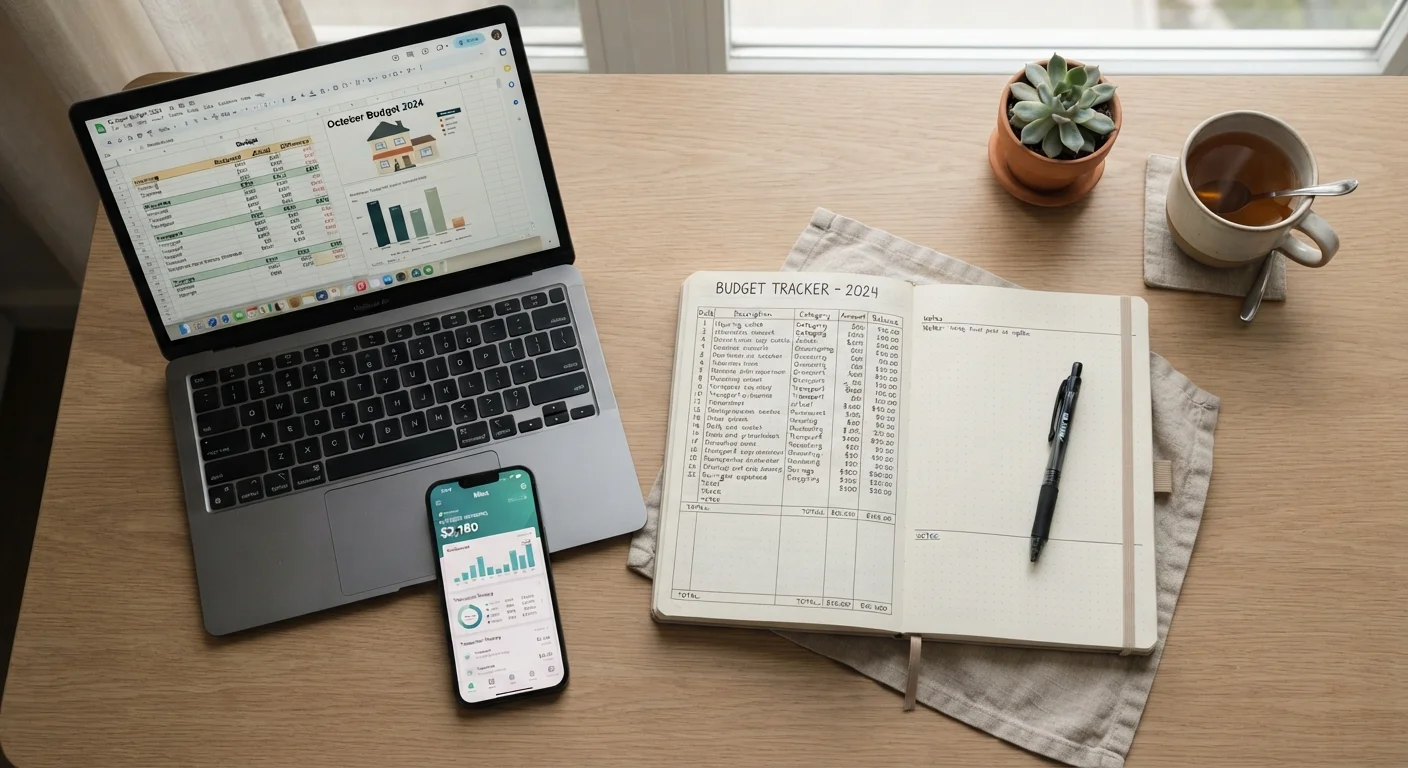
Photo credit: Infolagoon.com | Blogs To Rely On
In this article
No single tool works for everyone. This comparison looks at the trade-offs of pen-and-paper, spreadsheets, and digital apps for managing a budget.
Key Takeaways
- Paper budgets offer simplicity and tactile engagement but require manual effort to maintain.
- Spreadsheets provide flexibility and customization for those comfortable with basic formulas.
- Budgeting apps automate tracking and syncing but involve privacy and subscription trade-offs.
- No single tool is universally superior — the right choice depends on your habits and needs.
- Switching tools mid-month can disrupt your tracking; commit to one system for at least 60 days.
Why Your Budgeting Tool Matters
A budget you don't actually use is worthless — no matter how well-designed it is on paper (or on screen). Research in behavioral finance consistently suggests that the tool you choose affects how consistently you engage with your budget. The friction of a tool that doesn't fit your lifestyle leads to abandonment.
This comparison covers the three most common personal budgeting formats: pen-and-paper, spreadsheets, and dedicated budgeting apps. Each has genuine advantages and real limitations. Understanding those trade-offs helps you pick the system you'll actually stick with. For broader context on budgeting approaches themselves, see budgeting methods compared.
| Paper Budget | Spreadsheet | Budgeting App | |
|---|---|---|---|
| Cost | Near zero (notebook, pen) | Free to low-cost | Free to $10+/month |
| Setup Time | Minimal | Moderate to high | Low (guided onboarding) |
| Manual Entry Required | All entries manual | All entries manual | Mostly automated |
| Bank Account Syncing | None | Via add-ons only | Built-in for most apps |
| Customization | Fully flexible | Fully flexible | Limited to app structure |
| Privacy Risk | None | Low | Moderate (data sharing) |
| Best For | Tactile, low-tech users | Detail-oriented planners | Busy, tech-comfortable users |
Paper Budgets: Simple, Intentional, and Effort-Intensive
Writing out income and expenses by hand forces a level of deliberate attention that digital tools can skip over. Studies in learning and cognition suggest that handwriting reinforces memory more effectively than typing — a dynamic that may carry over to financial awareness.
Advantages: No cost, no apps to learn, no connectivity required. Paper is especially useful for people who find digital interfaces distracting or anxiety-inducing around money.
Limitations: Totals must be calculated manually. There's no automatic syncing with bank accounts, no alerts when you overspend a category, and no historical data analysis unless you keep and compare old notebooks. One missed entry can throw off an entire month.
Start With What You'll Actually Use
If you've never budgeted before, resist the urge to build an elaborate spreadsheet or download multiple apps at once. A simple notebook with your income and five to seven expense categories is enough to start building awareness. Complexity can come later once the habit is established.
Paper budgets pair naturally with cash-based systems. If you're exploring that method, envelope budgeting in a digital world explains how to adapt it to modern spending habits.
Spreadsheets: Flexible, Powerful, and Requires Setup
Spreadsheet budgets — built in tools like Microsoft Excel or Google Sheets — occupy a middle ground: more automated than paper, more customizable than most apps. You control every formula, category, and layout.
Advantages: Free or low-cost (Google Sheets is free with a Google account), highly adaptable, and capable of generating charts or running year-over-year comparisons. Formulas can auto-calculate totals, flag overspending with conditional formatting, and project savings timelines.
Limitations: Initial setup takes time, and ongoing data entry is still manual. Errors in formulas can silently distort your numbers. Spreadsheets also don't connect to bank feeds without third-party add-ons, which introduces their own security considerations.
Spreadsheets work especially well for tracking spending categories in detail, since you can build exactly the structure you need rather than working within a predefined app template.
Budgeting Apps: Automated, Convenient, and Privacy-Adjacent
Dedicated budgeting apps typically connect directly to your bank and credit card accounts, categorizing transactions automatically and giving you a real-time picture of where your money is going. Many offer alerts when you're nearing a category limit.
Advantages: Minimal manual entry, near-instant visibility, and features like goal tracking, bill reminders, and spending trends. For anyone managing multiple accounts or working toward specific financial goals, automation can reduce the cognitive load significantly. See saving and goals for guidance on building those milestones.
Limitations: Many apps require a subscription after a free trial. More importantly, connecting financial accounts to third-party platforms involves sharing sensitive login credentials or using data-sharing protocols — a trade-off worth understanding before signing up. Read any app's privacy policy and data-sharing practices carefully.
Understand App Data-Sharing Before Connecting Accounts
Many budgeting apps use third-party data aggregators to access your bank information. Before linking any financial account, review the app's privacy policy to understand how your data is stored, shared, and protected. Consider whether the convenience trade-off aligns with your personal risk tolerance.
Regardless of which tool you use, a regular review is essential. A monthly budget review checklist can help you stay on track and adjust categories as your financial life evolves.
Making Your Choice — and Sticking With It
The strongest predictor of budgeting success isn't which tool you use — it's consistency. Give any new system at least 60 days before evaluating whether it fits. That window covers two full budget cycles and enough repetition to reveal friction points versus genuine habit formation.
If you're unsure where to start, consider your current relationship with technology, how often you check your bank accounts, and whether you prefer structure or flexibility. Those preferences usually point clearly toward one format over the others.
For a comprehensive look at how budgeting tools fit into the broader process of managing your finances, personal budgeting from start to finish covers every stage in one resource.
This article is for general informational and educational purposes only and does not constitute personalized financial advice. Consult a qualified financial professional for guidance specific to your circumstances.

Author
Money & Finance Editorial Team
Money & Finance Editorial Team is the collective byline for our editorial team and contributor network. Articles published under this byline or an editorial pen name are researched, written, and reviewed according to our editorial standards for clarity, consistency, and independence before publication.
View all articles →